
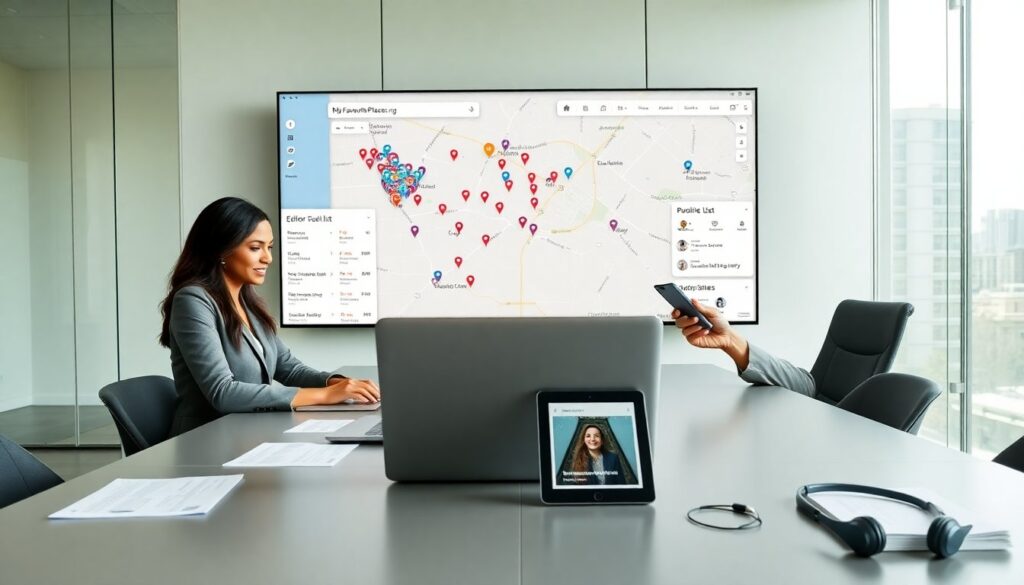
# myfavouriteplaces.org blog helps users find and save places they love. The site shows maps, lists, and notes. It lets users share places with friends. It works for travelers, locals, and small businesses. It focuses on clear maps and easy organization. It runs on web and mobile browsers. It keeps place data simple and searchable.
Key Takeaways
- MyFavouritePlaces.org helps users easily find, save, and organize favorite locations with maps, lists, and notes for travelers, locals, and small businesses.
- Users can create accounts to add places by name, address, photo, and notes, then categorize them with lists and tags for quick retrieval and sharing.
- The platform features map views, filters, and curated lists that enhance searching and exploring relevant places based on preferences and location.
- Sharing options allow for private or public links, group collaboration on shared lists, and community engagement through comments and follower features.
- Strong privacy controls let users manage visibility, export data, and secure accounts with two-factor authentication, ensuring safe and personalized use of MyFavouritePlaces.org.
What Is MyFavouritePlaces.org And Who Should Use It?
MyFavouritePlaces.org is a place management site. It stores locations, photos, and short notes. It displays those items on maps and lists. Travelers use MyFavouritePlaces.org to record trips. Locals use MyFavouritePlaces.org to track cafes, parks, and shops. Small businesses use MyFavouritePlaces.org to share hours and highlights. Event planners use MyFavouritePlaces.org to collect venue options. Families use MyFavouritePlaces.org to keep shared lists. The site suits anyone who wants a simple way to keep and share place info.
How It Works: Create, Save, And Organize Your Places
Users create an account on MyFavouritePlaces.org. They add a place by name, address, and photo. The site geocodes the address and pins it on a map. Users save places to lists or to a private folder. The site syncs data across devices. Users edit details or remove places at any time. The site supports bulk import from common formats. It offers basic templates for restaurants, parks, and shops. It also offers map views for planning routes and visualizing collections.
— Adding A Place: Quick Steps And Best Practices
Open MyFavouritePlaces.org and sign in. Click add place and enter the place name. Enter the address and confirm the map pin. Upload one clear photo that shows the location. Add a two-line note that explains why the place matters. Choose a list or create a new list for context. Tag the place with one or two simple tags like coffee or waterfront. Save the place and check it on the map. Review details before sharing.
— Organizing Lists, Tags, And Maps For Easy Retrieval
Create lists for themes such as weekend spots or work lunches. Name lists with clear, searchable words. Use short tags to mark cuisine, price range, or access notes. Pin favorite places to a personal map for quick planning. Filter lists by tag, date added, or distance from a point. Archive places that users no longer need. Share a public list link to show others a curated set. Use consistent naming to keep lists searchable and tidy.
Searching And Exploring: Use Maps, Filters, And Curated Lists
The search bar on MyFavouritePlaces.org finds names and tags. Users can filter results by category, rating, or tag. The map view shows clusters and single pins for easy scanning. Curated lists from editors and contributors appear in the explore tab. Users can follow a curator to get updates to their lists. The site offers nearby suggestions based on location and saved preferences. Users can sort results by distance, popularity, or date added. The tools help people find relevant places fast.
Sharing, Collaborating, And Building Community Around Places
Users share single places or full lists from MyFavouritePlaces.org. They choose public or private sharing before they send a link. Groups can collaborate on a shared list and add places together. Users comment on places to add tips or corrections. The site supports follower features so users can see updates from others. Local guides and small businesses can publish curated lists to attract followers. MyFavouritePlaces.org also runs occasional community drives to collect user-recommended spots in a city.
Privacy, Data Ownership, And Safety Tips For Users
MyFavouritePlaces.org gives users control over place visibility. Users choose who sees each place or list. The site allows data export in common formats so users keep a local copy. Users should avoid sharing private home addresses in public lists. They should use private lists for family or sensitive locations. Users should enable two-factor authentication for their accounts. Review permissions for third-party apps that connect to MyFavouritePlaces.org. Report suspicious activity to the support team immediately.

