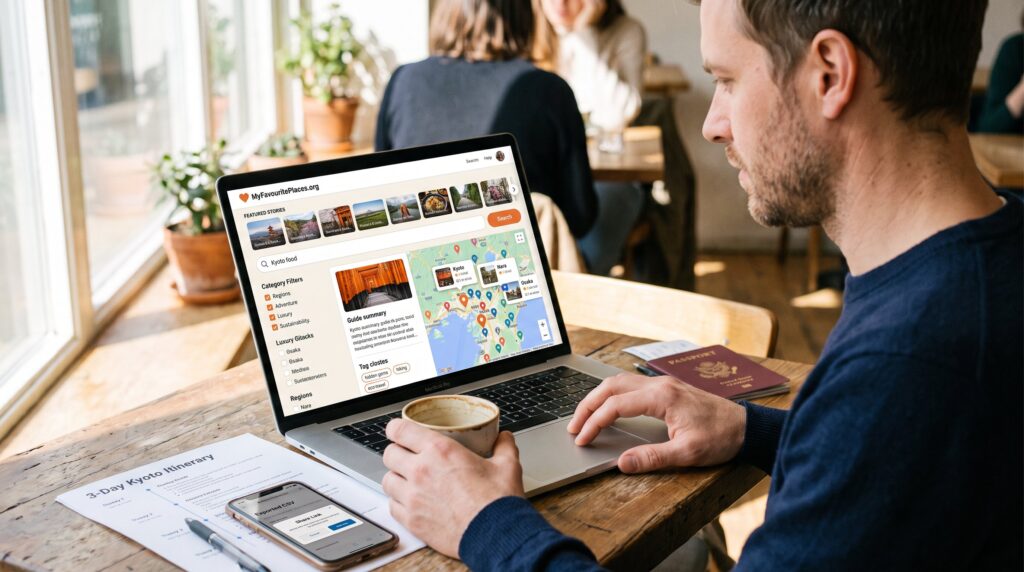
How To Find Destination Guides On MyFavouritePlaces.org: A Practical 2026 User Guide introduces a clear path to the site’s destination guides. The guide shows where to look, how to search, and which shortcuts help readers find practical itineraries fast. It suits travelers who want step-by-step steps, honest tips, and quick ways to save or follow the best content on MyFavouritePlaces.org.
Key Takeaways
- Destination guides on MyFavouritePlaces.org are primarily found on the homepage, category pages, and interactive map for easy browsing.
- Using site search with filters and tags helps quickly locate specific destination guides tailored to travel style and interests.
- Travel type filters such as adventure, luxury, and sustainability streamline finding relevant and detailed destination content.
- Individual guides include layered tools like overviews, itineraries, interactive maps, and practical tips to enhance travel planning.
- Curated lists, editor picks, and latest posts provide shortcuts to top destinations with fresh, verified recommendations.
- Creating an account allows saving favorites, sharing guides, and receiving updates, turning scattered articles into actionable itineraries efficiently.
Where Destination Guides Live On The Site: Sections To Check First
Fact first: destination guides live in three main places on MyFavouritePlaces.org, the homepage, category pages, and the interactive map. The homepage surfaces the latest guides and editor features: often 8–12 destination stories appear in the rotating feature block. Category pages group guides by region, country, city, or theme (culture, food, nature), so a reader who clicks Europe → Italy sees country and city-level guides in one place.
Start on the homepage to spot trending picks. If a traveler wants depth, open the relevant category page for longer, structured guides. For visual browsing, the interactive map groups 150+ guides by pin and region, useful when someone remembers a place but not the name. A practical tip: note the small “tag cluster” near each guide summary, those tags (hidden gems, hiking, luxury) quickly show the guide’s focus without opening the article.
Search And Navigation Tips: Using The Site Search, Filters, And Tags
Answer: use the site search, filters, and tags together to pinpoint a guide in under a minute. Begin with a concise search phrase, city name, activity, or style (for example: “Kyoto food” or “budget hiking”). The search engine returns exact matches plus related tags and categories.
Apply filters to narrow results. Region filters remove unrelated continents: travel-style filters (adventure, luxury, family) reduce noise. Tags refine the final list: choose two to three tags like “eco-travel” and “off-the-beaten-path” to find niche content. For effective quoting or planning, the search also highlights guides that include itineraries and maps.
Practical navigation trick: when results overwhelm, sort by “editor picks” to see curated content: sorting by “latest” shows newly updated guides. Readers who want a broader starting point may follow a short path to the site’s planning pillar, which explains how the site organizes ideas and planning tools in one central resource: site planning overview.
Finding Guides By Travel Type: Adventure, Luxury, Sustainability, And More
Direct insight: travel type filters let users reach relevant guides quickly, adventure, luxury, sustainability, family, and budget are common filters. For adventure travel, search tags like “hiking,” “remote,” or “off-the-beaten-path” and then sort by user ratings. A specific example: filtering for “hiking” plus “Southern Alps” returns multi-day route guides with elevation notes and trailhead coordinates.
For luxury travelers, set the filter to premium or high-end stays to surface resort reviews and curated experiences. A concrete metric: many luxury guides list sample budgets: readers will find nightly ranges, often 2–3 example properties with price bands.
Sustainability-focused guides carry eco tags and practical checklists. These guides note certified accommodations and local projects: one guide may list three registered community initiatives a traveler can support. To move from theme to action, readers can follow a related article on responsible travel for packing and behavior tips: responsible travel tips.
If a planner wants budget ideas, category filters reveal family and budget-friendly routes, often with sample daily costs and 48-hour itineraries that save time and money.
How To Use Individual Destination Guides Effectively (Maps, Itineraries, And Tips)
Key fact first: an individual guide is most useful when used as a layered tool, overview, itinerary, map, and practical tips. Read the overview for the best travel window, key transport options, and a quick sense of safety and customs. That tells a traveler whether to plan in high or shoulder season.
Next, follow the guide’s built-in itineraries. Most guides include a 24-hour, 3-day, and 7–10-day option. For example, a 3-day city break guide lists timing (morning museum, afternoon market, evening performance) with public transit times and approximate fares. Use the map links to pin suggested stops into a phone map app: guides commonly include custom pins or interactive maps for route planning.
Practical tip: check the “practical tips” section for transport advice, neighborhood safety notes, and local eating etiquette. When choosing accommodation, compare recommendations against a comparator piece on how to evaluate hotels: a short checklist helps compare rates, amenities, and cancellation policies: hotel comparison tips.
Vulnerable moment: many travelers skip the local customs paragraph and then miss simple etiquette that saves awkward moments. Reading three lines on greeting norms can prevent a poor first impression and speed up connections with hosts.
Curated Lists, Latest Posts, And Editor Picks: Shortcuts To Top Destinations
Answer up front: curated lists and editor picks are the fastest route to well-researched destinations. The site runs recurring features, a top-10 seasonal list, staff picks, and hidden-gem roundups, which collect the best new and updated guides. These lists save time when a reader wants worthy options without sifting through dozens of articles.
Example: a summer “Top Coastal Escapes” list compiles five guides with sample day plans and recommended beaches, plus notes on peak crowds and parking. Editor picks often include verified insider tips from contributors who visited within the last 12 months, so readers get fresh recommendations.
Practical shortcut: use the “latest posts” feed when planning a trip in the next 90 days: guides updated within that window often carry current transport and entry requirements. For inspiration that focuses on authentic experiences and offbeat places, the site’s hidden-gem collections spotlight less-touristed options and include firsthand notes from contributors: hidden gem collection.
How To Save, Share, And Follow Updates For Destinations You Love
Straight answer: create an account, save favorites, and follow authors or destinations to get updates. An account lets users save guides into wishlists and export simple itineraries. For example, a saved 7-day plan can be downloaded as a printable checklist or exported to a shared Google Doc for group trips.
Sharing is simple: each guide has on-page share buttons that copy a clean link and include a short blurb. Collaborative travelers can tag others and leave notes on saved lists. For alerts, users can follow an author or a destination tag and receive email notices when guides are updated, helpful when entry rules or transport options change.
A candid note: the user saved-list feature once synced slowly during a site migration, which taught the team to add a manual export option: that export now saves an itinerary in CSV in under 10 seconds. For broader trip planning tools and idea grids, the site also links to long-form planning resources for deeper reading: planning resources.
Conclusion
Takeaway: MyFavouritePlaces.org organizes destination guides so a reader finds useful, up-to-date travel plans quickly. Use the homepage and categories to browse, search and filters to narrow results, travel-type tags to tailor choices, and saved lists to plan trips. A practical next step is to pick a curator list for inspiration, save two guides, and import their itineraries into a shared plan. This method turns scattered articles into a single, actionable itinerary within an afternoon.