
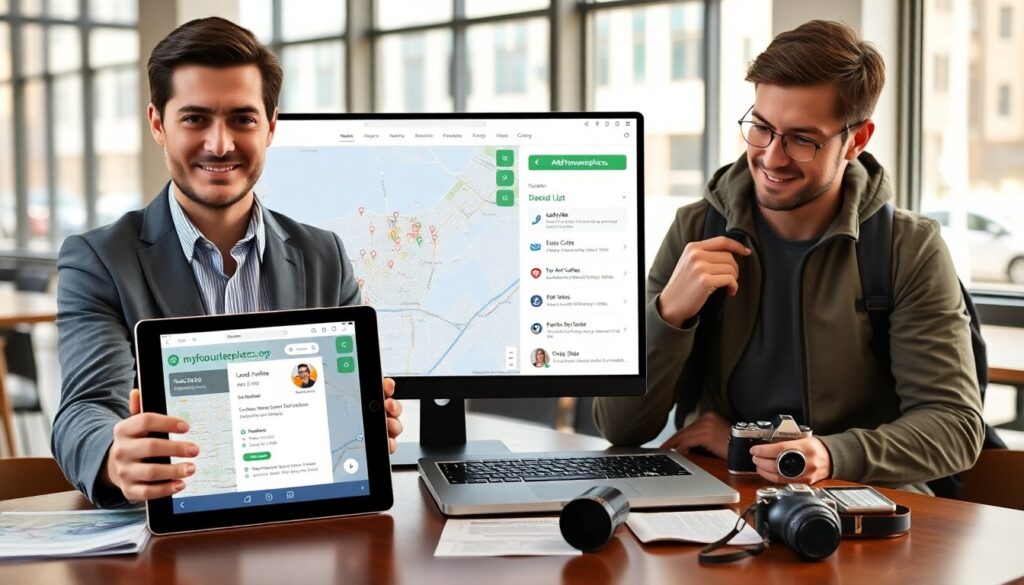
@myfavouriteplaces.org helps travelers find offbeat spots, local cafes, and cultural sites. The site lists user-submitted places, maps, and basic travel details. It serves explorers who want real experiences and clear information. The platform aims to surface small venues and local tips that large guides miss. Readers learn how the site works, how to find matches, how to add places, and how the site protects user data.
Key Takeaways
- MyFavouritePlaces.org is a community-driven platform that helps travelers discover authentic local spots and offbeat attractions beyond typical tourist guides.
- Users can easily find places by entering a location, applying filters like tags and open hours, and saving favorites for personalized trip planning.
- The site supports creating and sharing custom saved lists and itineraries with estimated travel times, enhancing trip organization and sharing.
- Contributors add and update place profiles with verified details and photos, while the platform rewards active users with badges to encourage quality submissions.
- MyFavouritePlaces.org prioritizes user trust and privacy with HTTPS security, minimal data retention, verified badges, and community moderation to ensure reliable information.
- The platform offers clear navigation and fast search on both mobile and desktop, making it convenient for explorers to find real experiences quickly.
What MyFavouritePlaces.org Is And Who It’s For
myfavouriteplaces.org is a community map and directory. The site lists restaurants, parks, studios, and small attractions. The platform accepts entries from locals and travelers. It targets people who prefer local picks over tourist traps. It also serves small business owners who want visibility. The site uses simple profiles for each place. Each profile shows address, hours, tags, and basic directions. The platform focuses on authenticity. Users see photos and brief notes from other visitors. The interface stays uncluttered so people find facts quickly.
How To Find Places That Match Your Interests
Users open myfavouriteplaces.org and enter a city or region. The site shows pins on a map and a short list view. Users pick tags like coffee, art, hiking, or family. The platform filters results by tag, rating, and distance. Users save favorites for later review. The site updates results as users refine filters. It also suggests nearby options that match selected tags. The search stays fast on mobile and desktop. Users can sort results by popularity or recent additions. The platform keeps the interface clear and predictable.
Using Maps, Filters, And Personalized Recommendations
The map centers on the user’s chosen area. Pins reveal a short card when tapped or clicked. Filters narrow results by tag, price level, and open hours. Users apply one or more filters in any order. The platform stores simple preferences if the user allows it. The site then highlights places that match those preferences. Recommendations draw from saved places, past searches, and popular local picks. The algorithm ranks places by relevance and recency. Users can turn recommendations off if they prefer raw search results.
Planning Trips With Saved Lists And Itineraries
Users create saved lists for trips or themes. Lists hold place cards and short notes. The site lets users reorder items and add times. The platform generates a basic route that links saved places. Users export lists to simple PDFs or share links with friends. The itinerary feature shows estimated travel time between spots. Users adjust times and save versions. The site keeps each list private by default. Users can switch a list to public to share tips with the community.
How To Contribute: Add, Edit, And Curate Places
Contributors sign up with an email or an account provider. They add a place by filling a short form. The form asks for name, address, category, hours, and a short description. Contributors can upload one or more photos. The platform validates addresses and suggests matches from a map. Contributors may edit their entries later to correct details. The site tracks edits and shows a timestamp on each change. Editors review suspicious entries and flag duplicates. The platform rewards useful contributions with profile badges.
Community Features: Reviews, Photos, And Local Guides
Visitors leave short reviews and a star rating. Reviews keep to a few sentences to stay concise. Users upload photos that show the place clearly. Local volunteers can create short guides for neighborhoods. Guides list a handful of recommended places and a short route. The platform highlights guides that attract positive feedback. It also shows recent reviewer activity on each place page. Community moderation removes spam and abusive posts. The site prompts users to verify facts when they disagree with a listing.
Safety, Privacy, And Trust Signals On The Platform
myfavouriteplaces.org uses HTTPS to protect data in transit. The site stores minimal personal data for basic accounts. It offers a clear privacy page that lists data use and retention. Users choose whether the site may use location to suggest nearby places. The platform shows trust signals like verified badges for local guides and edit history on place pages. The review system displays reviewer history and a simple trust score. The site runs automated checks for fake listings and flags suspicious activity for review. The platform provides contact channels for security or privacy concerns.

